The short answer
For a big casual group finding a time (students, friends, clubs, volunteers), use When2meet: its free availability heatmap collects everyone's full schedule and finds overlap that voting cannot. For a business meeting where polish, reminders, and calendar sync matter and someone will pay, use Doodle.
They are the two most-searched names in group scheduling, but they are not really the same product. When2meet is an availability survey: everyone paints their free times on a grid and the darkest cell wins. Doodle is a ballot: the organizer proposes a few specific slots and participants vote on them.
That difference in model decides most real-world cases before features or pricing even come up, so we will start there, then cover what each tool does well, what each costs, and a third option that combines the best of both for free.
Two opposite models: paint the grid vs propose and vote
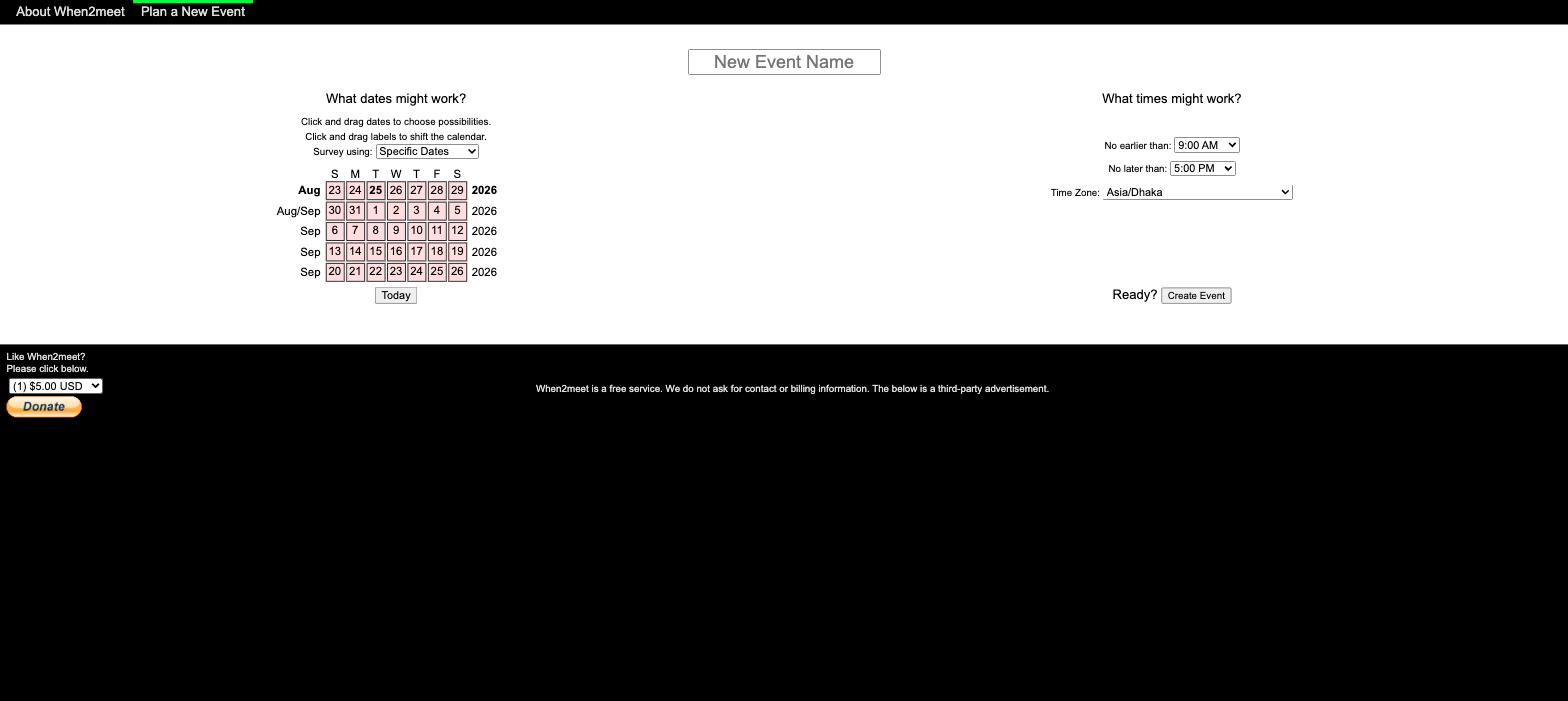
When2meet's model: collect availability first. The organizer picks a date range and time window, shares a link, and every participant marks all the times they could make. The responses stack into a heatmap; you read the answer off the darkest cells. Nobody has to guess good options in advance, which is exactly why it works for messy schedules: if a workable slot exists anywhere in the window, the grid finds it.
Doodle's model: propose options, then vote. The organizer picks a handful of concrete slots (say, Tuesday 2pm, Wednesday 10am, Thursday 4pm) and participants respond yes, no, or if-need-be to each. This is faster for respondents when the options are good: three taps and done, versus painting a week's worth of cells.
The trade-off is who carries the risk of guessing wrong:
- With a grid, respondents do slightly more work up front, and the group gets a complete picture.
- With voting, the organizer bets that one of their two or three guesses hits everyone's free time. With 4 or more busy people, that bet fails often, and every failed round costs a day of waiting while you propose new options.
Rule of thumb: the more people and the messier their calendars, the more the grid model wins. The fewer the constraints, the more voting's simplicity wins. We cover this trade-off across all methods in our guide to finding a meeting time that works for everyone.
When2meet: free, fast, and frozen in time
When2meet has been free since 2009, supported by ads, and it shows. That is both the appeal and the problem.
What it does well:
- Zero friction. No account to respond: you type a name (and an optional per-event password) and start painting. Creating a poll takes under a minute.
- The heatmap just works. For a room full of laptops, the collective grid remains one of the fastest group scheduling experiences ever built.
- Genuinely free. No participant caps, no paywalled features, because there are essentially no features to paywall.
Where it has not moved in over a decade:
- The grid is rough on phones. The site is not responsive; cells are tiny and painting availability by touch misfires constantly. Most groups now respond from phones, which makes this the top complaint. We wrote a whole guide on using When2meet on mobile.
- No calendar sync. You re-enter your schedule from memory, and one forgotten conflict can invalidate the winning slot. See When2meet and Google Calendar for the workarounds.
- No notifications. Organizers refresh the link to see who has answered.
- Sharing stuck in 2009. The event page's only built-in share options are an email link and a Facebook message, plus the raw event URL. There is no copy-link button and no Slack, WhatsApp, or SMS, so you end up pasting the link into your group chat yourself.
- Raw time-zone dropdown. When2meet detects your browser's zone, but exposes the full time-zone list as a control that is easy to change to the wrong value, with no calendar overlay to catch a resulting conflict.
None of this appears to be changing. When2meet is a finished artifact, beloved for its speed, and you take it as it is.
Doodle: polished and professional, if you pay
Doodle is the oldest brand in scheduling polls and the most polished. It looks professional, your coworkers have already seen it, and it is a real company with support and the compliance answers IT departments ask for. Enterprises trust it for a reason.
What it does well:
- A clean, guided flow for proposing slots and collecting votes, on a responsive site that works fine on phones.
- Grown-up features on paid plans: unlimited Group Polls, response deadlines, automatic reminders, and branding controls.
- Vendor credibility. Procurement and IT can sign off on Doodle in a way they never will on a hobby site.
The catch is where the free tier draws its lines (checked August 2026):
- Ads are shown to your participants, not just to you. Inviting a client to an ad-covered poll undercuts the professional impression you were paying for.
- The free plan includes one Group Poll. Running more than one Group Poll needs Pro, from $11 per user per month billed annually. Connecting a calendar to check your own conflicts is free.
- Deadlines and reminders are paid too, and the free tier is limited enough that it functions mainly as a demo of Pro.
If your company already pays for Doodle, use it; it is good software. If you are an individual comparing free tiers, the free grid tools beat Doodle's free tier at its own job. Our Doodle alternatives guide covers that path in depth.

Feature and pricing comparison
Side by side, checked August 2026 against Doodle's pricing page:
| When2meet | Doodle | |
|---|---|---|
| Model | Paint-the-grid availability heatmap | Organizer proposes slots, participants vote |
| Price | Free (ads) | Free tier with ads shown to participants; Pro from $11/user/mo billed annually |
| Accounts to respond | None (per-event name and optional password) | None for basic voting |
| Mobile experience | Not responsive; tiny grid, hard to use | Responsive, works well on phones |
| Calendar sync | None | One free connection |
| Notifications | None | Paid (deadlines and reminders on Pro) |
| Time zone handling | Browser-detected, but a raw editable dropdown | Automatic |
| Participant limits | None | Free tier limited; higher limits on paid plans |
| Best for | Big casual groups, messy schedules | Business meetings with a tools budget |
Verdict by scenario
Skip the abstract scoring; pick by your situation:
- Big casual group, When2meet's grid model. For a club, class or study group, friends, or volunteers, you need full availability from lots of people, nobody wants an account, and free matters. The heatmap wins.
- Business meeting, company pays for tools: Doodle. Unlimited polls, reminders, no ads, and a vendor IT will accept. The Pro price is reasonable for a team that schedules constantly.
- Small group with two or three obvious options: either works, and honestly a group message with three options might beat both.
- Everyone responding from phones: not classic When2meet. Its grid is the worst part of the experience on a touchscreen. Use Doodle or, better, a modern free grid tool (next section).
- Time zones involved: check the controls carefully. When2meet auto-detects the browser zone but leaves an editable dropdown; our When2meet time-zone guide explains the exact behavior. The broader time-zone scheduling guide covers fair windows and DST, and our free meeting time zone planner helps you eyeball the overlap before you propose anything.
If you notice that both answers came with caveats, that is the honest state of things: the two most famous tools are, respectively, frozen and paywalled. Which is why a third category exists.
The third option: modern free grid tools
The most common real-world requirement is "When2meet's model without When2meet's 2009 problems, and without Doodle's paywall." That category now exists, and it is free.
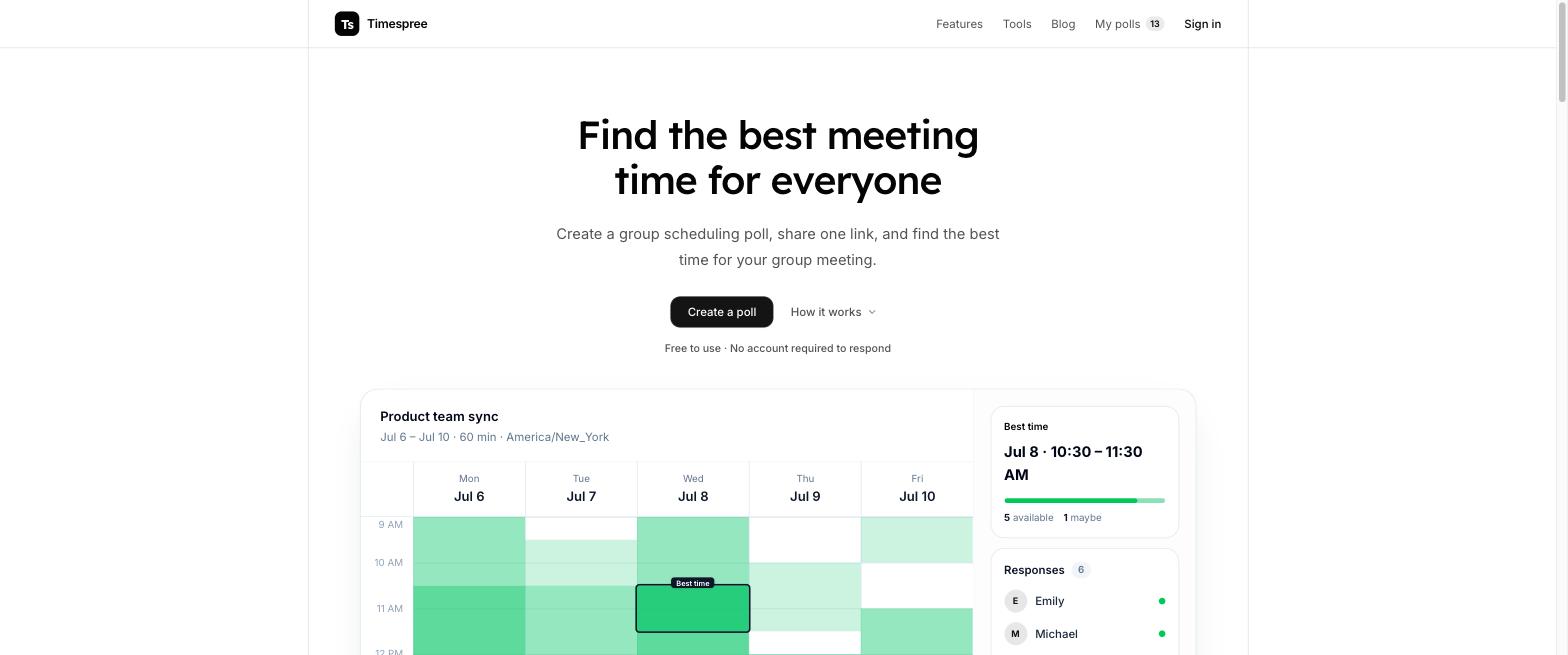
Timespree keeps the exact paint-the-grid heatmap workflow: create an event, share one link, nobody needs an account to respond. On top of it:
- A mobile-first grid that actually works by touch, fixing When2meet's biggest complaint.
- Clear time-zone context: the organizer's event zone stays visible, and participants can choose a display zone for converted slot details.
- Free calendar import while responding: Google Calendar, Outlook, and Apple Calendar overlay your busy times so nobody marks a slot they cannot make. Doodle offers no calendar overlay for the people responding.
- Email notifications to the organizer as responses arrive, and no participant limits.
Timeful (formerly Schej) deserves a mention in the same breath: free and open source, with calendar overlays for Google, Outlook, and Apple Calendar beside the grid, email notifications, and power features like if-needed times and availability groups. Its hosted product currently includes Google AdSense and accepts donations.
So the full answer to "When2meet vs Doodle" is often "neither": if you like the grid model but need it to work on phones and with calendars, try one of these first. Our full alternatives roundup ranks seven options.