The best free Doodle alternative in 2026
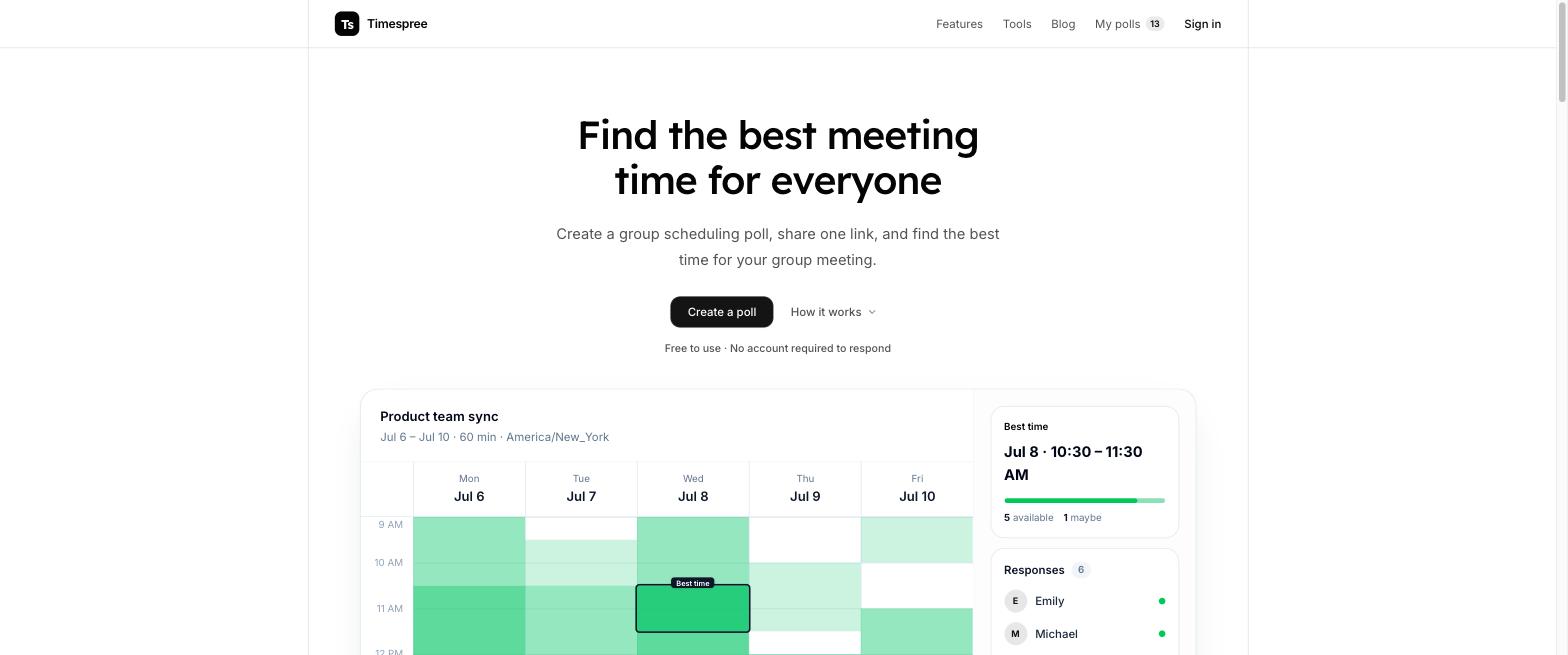
The best free Doodle alternative is Timespree: a free availability poll where respondents need no account, the group's overlap shows up as a heatmap, and calendar import from Google, Outlook, and Apple Calendar costs nothing.
Doodle earned its brand. It has been around longer than any competitor, the interface is polished, and for businesses it offers things free tools do not: support, admin controls, booking pages, and a company to point at when something breaks. This post is not going to pretend otherwise.
But most people searching for a Doodle alternative are not businesses with procurement budgets. They are people who tried to schedule a call with eight friends, discovered the free tier shows ads to everyone they invited, hit the one-poll limit on the second meeting, and wondered why finding a meeting time costs $11 per seat per month. Our Doodle free-plan breakdown explains that limit in detail. For this job, a free group availability poll is simply the better-shaped tool.
Timespree vs Doodle: feature comparison
The two tools model scheduling differently. Doodle's group polls have the organizer propose specific options that participants vote on. Timespree uses a When2meet-style grid where everyone paints their full availability and a heatmap reveals the overlap. Features checked August 2026.
| Feature | Timespree | Doodle |
|---|---|---|
| Entry paid plan | Free | Pro from $11/seat/month (billed annually) |
| Ads shown to participants | Organizer-side ads only, free product | Yes on the free tier, removed on paid |
| Respondents need an account | No | No, but they see ads and upsells |
| Scheduling model | Paint availability, heatmap shows overlap | Vote on options the organizer proposes |
| Calendar sync | Google, Outlook, Apple Calendar import, free | One connection free; more on paid |
| Time zone handling | Event zone visible; selectable display zone for converted slot details | Poll times adjust to the participant's time zone |
| Notifications | Free email notifications to organizer | Reminders and deadlines on paid plans |
| Participant limits | None | Up to 1,000 |
| Booking pages / 1:1 scheduling | No | One of each on Free; unlimited on Pro |
| Centralized license administration | Not a paid seat-based licensing product | Team plan, not the single-user Pro plan |
Pricing: what free actually means in each tool
Doodle Pro costs $15 per month, or $132 for a year ($11 per month equivalent). Team starts at $21 per seat per month, or $16 per seat per month billed annually, with a two-seat minimum. USD prices checked September 7, 2026 against Doodle's official cost breakdown and pricing page. Annual rates require paying for the year; they are not monthly billing prices.
For your club, count the people who need to organize polls, not everyone invited to vote. One organizer with 20 members does not need 20 paid seats. Pro is a single-user subscription; Team adds shared license administration. Five separate Pro licenses and a five-seat Team subscription are different purchases. The examples below use the listed USD rates, before any applicable taxes or checkout adjustments.
| Plan | Doodle | Timespree |
|---|---|---|
| Free tier | One Group Poll, one Booking Page, one 1:1, and basic Sign-up Sheets; ads on free polls | Free availability polls, calendar import, and organizer notifications |
| Pro, monthly billing | $15/month for one user | Free to use |
| Pro, annual billing | $132/year ($11/month equivalent) | Free to use |
| Team, monthly billing | $21/seat/month; minimum 2 seats | No per-seat subscription |
| Team, annual billing | $16/seat/month; minimum 2 seats | No per-seat subscription |
| Calendar sync | One connection free | Free |
| Deadlines and reminders | Paid | Organizer email notifications, free |
| Five separate Pro licenses, annual billing | $11 × 5 × 12 = $660/year; not a shared Team plan | $0 |
| Five Team seats, annual billing | $16 × 5 × 12 = $960/year | $0 |
What Doodle does well
Doodle fits a club that already has a shortlist of possible meeting times: members vote on those options rather than filling an availability grid. There are also useful features beyond the poll itself.
- Booking tools on Free. Doodle's plan comparison includes one Booking Page and one 1:1 on Free, alongside one Group Poll and basic Sign-up Sheets. Pro makes these tools unlimited.
- Paid poll controls. Pro includes deadlines, reminders, hidden participants, and ad removal. Those can be worth paying for when you regularly chase responses.
- Shared administration on Team. The Team plan adds centralized billing, license management, roles, and permissions. Do not assume the single-user Pro subscription includes that team administration.
- A calendar handoff. Doodle's Group Poll introduction explains that connecting a calendar is free and lets participants receive a calendar invitation when the organizer books the selected time.
These details were checked September 7, 2026. Choose the plan for the features you need, rather than assuming every meeting attendee needs a license.

Where Doodle falls short
Doodle's main trade-offs are the Free plan's limits and the need to propose candidate times.
- One free Group Poll per account. This is explicit in Doodle's create-a-poll instructions, checked September 7, 2026. Unlimited polls require a paid plan.
- Ads on free polls. Paid plans remove ads for the organizer and participants, according to Doodle's subscription overview.
- You choose the candidate times. A vote is useful when your club is deciding between Tuesday and Thursday. If you do not know anyone's availability yet, a grid can collect a wider range of possibilities. Neither model guarantees that everyone can attend. Our When2meet vs Doodle comparison explains that choice.
- A participant limit, including on paid polls. Doodle allows up to 1,000 participants per Group Poll on both Free and Professional accounts. That is unlikely to constrain a small club, and it should not be confused with the number of organizer licenses you buy.
How Timespree compares, honestly
Timespree collects the times your group can meet, free, with no account required to respond. We make Timespree, so this is a comparison from the product's publisher.
- An availability grid. You set the dates and time window; members mark the slots that work for them. The heatmap shows the overlap within that window.
- Free calendar import. Respondents can overlay busy times from Google Calendar, Outlook, or Apple Calendar while filling the grid. They still choose their own availability; importing a calendar does not guarantee that their response is correct.
- Clear time zones. The organizer's event zone stays visible, and participants can choose a display zone for converted slot details. Our guide to scheduling meetings across time zones covers the planning decisions around that.
- Organizer notifications. Email notifications tell the organizer when responses arrive. These are different from reminders that chase people who have not responded.
- No participant cap. You do not buy seats for the members responding to your poll.
Timespree has no booking pages, recurring poll automation, automatic video-call creation, or enterprise support contract. If your club needs those features, compare Doodle's relevant plan rather than treating the two products as interchangeable.
Free apps and tools like Doodle
If you want options beyond Timespree, the free tools closest to Doodle are all availability grids: When2meet (the classic, though dated on phones), Timeful (open source, with a calendar overlay), and LettuceMeet (a clean minimal grid) — plus Rallly if you specifically want Doodle's vote-on-options model without the paywall and the option to self-host. Each is genuinely free, checked August 2026. This guide ranks them side by side, and the wider When2meet alternatives guide covers the full grid landscape.
Which should you use?
Use Doodle if:
- A company is paying and wants one vendor for group polls plus 1:1 booking pages
- You need reminders, deadlines, and admin controls, and they will actually get used
- IT requires a supported product with compliance documentation
- Brand familiarity with clients matters more than cost
Use Timespree if:
- You are scheduling with friends, family, students, volunteers, or a team without a tools budget
- You want a focused availability poll that needs no respondent account
- You want calendar import and time zone handling without a $11 per seat per month subscription
- Your group is large; there are no participant caps
- You want the overlap to emerge from a heatmap instead of guessing options up front
A reasonable rule: if the meeting has a cost center, Doodle is defensible. If the meeting has a group chat, use a free poll. And if you are surveying the whole landscape first, our best When2meet alternatives roundup covers Doodle, Timeful, Rallly, LettuceMeet, and more in one place.
