The short answer
The best LettuceMeet alternative for most groups is Timespree. It uses the same free availability heatmap that made LettuceMeet popular, but adds the things LettuceMeet never fully shipped: calendar import beyond Google (Outlook and Apple Calendar too), explicit event-zone context with converted slot details, and email notifications when people respond. Respondents still need no account, and there are no participant limits.
That said, this is not a hit piece. LettuceMeet earned its user base honestly. When it launched, it took the When2meet idea and fixed the two ugliest problems: it works properly on a phone and the interface does not look like 2009. If you are a student scheduling a study group with people in the same city, LettuceMeet is still a perfectly reasonable pick, and we say so below.
The rest of this article compares the two tools feature by feature so you can decide which gaps actually matter for your group.
What LettuceMeet gets right
Credit first. LettuceMeet modernized the availability grid years before most alternatives existed, and the core experience holds up:
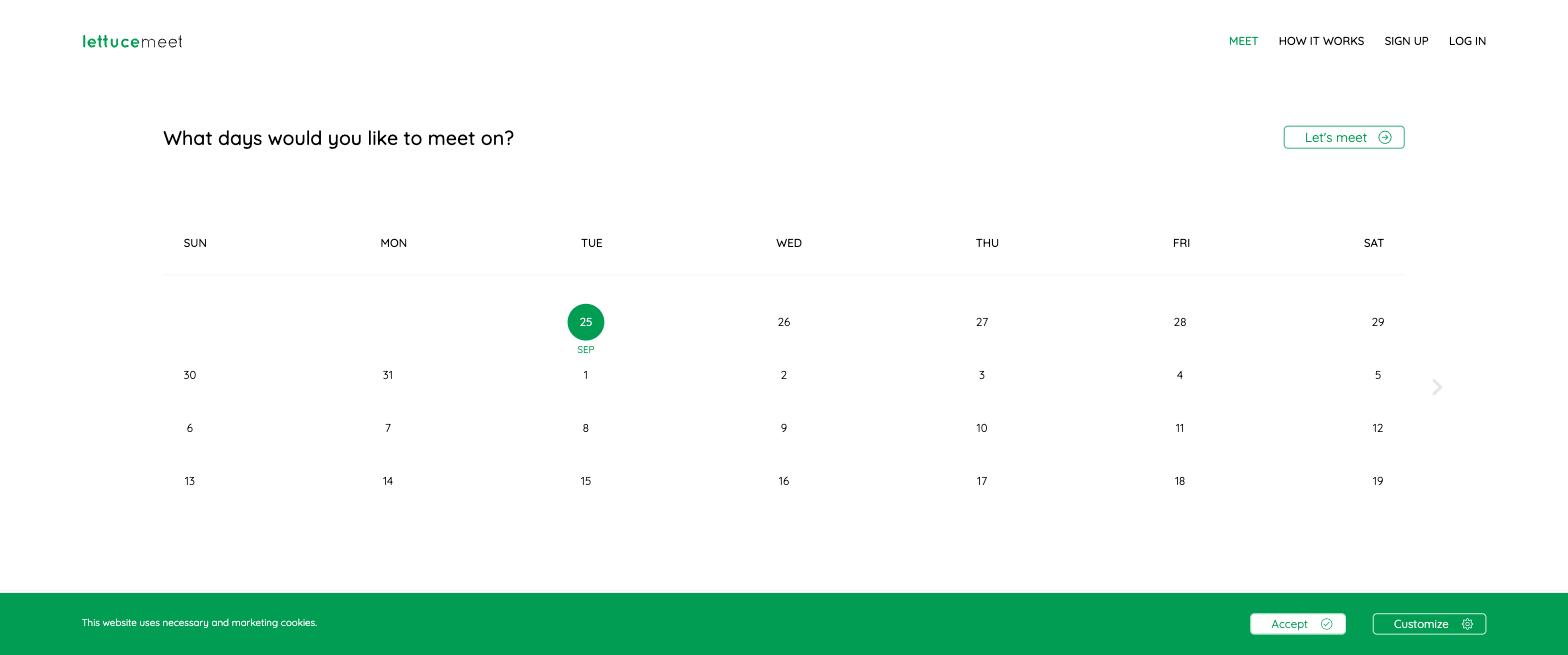
- Clean, friendly interface. The date-range picker and grid are simple enough that nobody needs instructions.
- No account required to respond. You type a name and paint your availability, exactly the low-friction flow that makes grid polls work.
- Optional Google sign-in with a calendar view. If you do sign in with Google, LettuceMeet can remember you across polls and show your Google Calendar events while you add availability.
- Good on mobile. Unlike When2meet's tiny non-responsive grid, LettuceMeet's layout works on a phone.
- Free. No paywalled tiers to decode.
For a casual one-off poll among people who share a time zone and check the link themselves, that list covers everything you need. This is why LettuceMeet spread through universities: student scheduling is exactly that use case.
Where LettuceMeet falls short in 2026
The complaints about LettuceMeet are not about what it does; they are about what it never added. Development has been slow for years, and the gaps are the same ones people mentioned long ago (all checked July 2026):
- Calendar support stops at Google, and only with sign-in. LettuceMeet can show Google Calendar events to signed-in users, but Outlook and Apple Calendar users still answer from memory, and one person who forgets a standing conflict can sink the winning slot for everyone.
- No notifications. The organizer has to keep reopening the link to see whether anyone responded. For a 5-person poll that is a nuisance; for a 20-person poll it means chasing people manually.
- Basic time zone handling. LettuceMeet is at its best when everyone is in one place. Once your group spans time zones, working out whose 3pm is whose becomes the participants' problem.
- Slow development. The product you use today is close to the product from several years ago. That is fine if it already does everything you need, and risky if you are hoping a missing feature arrives.
None of these are dealbreakers for casual use. All of them compound as your scheduling gets more serious: remote teams, recurring meetings, groups where half the people never open the link unprompted.
Timespree vs LettuceMeet: feature by feature
Both tools use the same core model: share a link, everyone paints availability on a grid, the heatmap shows the overlap, no accounts needed to respond. Here is where they differ. Checked July 2026.
| Feature | Timespree | LettuceMeet |
|---|---|---|
| Price | Free | Free |
| Account needed to respond | No | No (optional Google sign-in) |
| Availability heatmap grid | Yes | Yes |
| Works on mobile | Yes, mobile-first grid | Yes |
| Calendar import while responding | Google, Outlook, Apple Calendar (free) | Google only, with sign-in |
| Time zone handling | Named event zone plus converted details | Basic |
| Email notifications on responses | Yes | No |
| Organizer dashboard for past polls | Yes, optional account | Limited |
| Participant limits | None | None advertised |
| Active development | Yes | Slow |
The calendar import difference, explained
Calendar import is the feature that changes poll accuracy the most, so it is worth spelling out how it works in Timespree.
When someone opens your poll link, they can connect Google Calendar, Outlook, or Apple Calendar (via CalDAV) for free. Their busy times then appear overlaid on the availability grid while they respond. They still choose what to mark; the import never auto-fills availability without them. It just means nobody has to alt-tab to their calendar or, worse, answer from memory.
Why this matters in practice:
- Fewer false positives. The most common way group polls fail is someone marking a slot free, then remembering a conflict after the meeting is booked. Seeing busy times on the grid catches that before it happens.
- Faster responses. Painting around visible busy blocks takes seconds. Reconstructing a week from memory takes minutes, which is exactly when people close the tab and "respond later."
- It covers everyone, not just Google users. LettuceMeet's overlay requires Google sign-in and covers Google Calendar only. Timespree supports Google, Outlook, and Apple, which matters for mixed groups of work and personal accounts. (Timeful, another good free grid, also covers all three.)
If your group schedules anything against real calendars, this single feature usually decides the comparison. For the broader technique, see our guide to finding a meeting time that works for everyone.
Time zones and notifications: the quiet workhorses
Two smaller differences do a lot of work for distributed groups.
Clear time zones. Timespree keeps the organizer's event zone visible on the grid and lets each participant choose a searchable display zone for converted slot details. The underlying event time stays unambiguous without pretending the whole grid has changed zones. If your group spans time zones, our guide to scheduling meetings across time zones covers the common failure modes. LettuceMeet's handling is more basic, which is fine locally and harder internationally.
Email notifications. Timespree emails the organizer as responses arrive. That sounds minor until you run a poll with more than a handful of people: without notifications you either refresh the link all day or discover three days later that only two people answered. With them, you know exactly when it is time to nudge the stragglers or lock in the time.
Neither feature is flashy. Both remove a category of follow-up that LettuceMeet leaves with the organizer.
When LettuceMeet is still the right choice
Honest recommendations both ways:
Stick with LettuceMeet if:
- Your group is students or friends in one time zone planning a one-off
- Nobody's schedule is complicated enough to need a calendar overlay
- You will be watching the poll anyway, so notifications add nothing
- You already use it and everyone knows the flow
Switch to Timespree if:
- Participants have real calendars (work, classes, family) and mis-marked availability keeps burning you
- Your group spans time zones
- You organize polls regularly and want notifications plus a dashboard of past events
- Your group mixes Google, Outlook, and Apple calendar users
If you are still surveying the field, we compared seven options in our roundup of the best When2meet alternatives, including Timeful and Rallly. And if you are coming from When2meet itself rather than LettuceMeet, start with our When2meet alternative guide.
Trying Timespree costs nothing and takes about a minute: create a poll, share the link, and see the heatmap fill in.
