Skip to content
Comparisons·

FindTime Alternative: Free Meeting Polls, Any Email (2026)

TL;DR

You used FindTime to poll a meeting time with clients, and now it is gone. Microsoft retired the FindTime add-in on 11 December 2023 and replaced it with Outlook's built-in Scheduling Poll (checked August 2026). The catch: Scheduling Poll requires the organizer to have a Microsoft 365 work or school mailbox, and Microsoft's own docs say it does not work for Outlook.com consumer, Gmail, Yahoo, or IMAP accounts. If you schedule with anyone outside your Microsoft org, the free fix is an availability poll like Timespree: no account for you or your invitees, works with any email, and converts time zones automatically.

Key takeaways

  • FindTime the add-in was retired on 11 December 2023 and replaced by Outlook's native Scheduling Poll; findtime.microsoft.com no longer resolves (checked August 2026).
  • Scheduling Poll needs the organizer to have a Microsoft 365 Exchange Online mailbox, so personal, on-premises, and shared mailboxes cannot create one.
  • Microsoft's own documentation states Scheduling Poll is not supported for Outlook.com consumer, Gmail, Yahoo, or other POP or IMAP accounts (checked August 2026).
  • Attendees can be anyone, but the automatic free/busy suggestions only read calendars inside your organization, so external and Gmail invitees show up blank.
  • The free FindTime alternative that works with any email is an availability poll like Timespree, which needs no account from the organizer or respondents.

What happened to FindTime?

FindTime was retired. Microsoft killed the FindTime add-in on 11 December 2023 and folded its features into Outlook's built-in Scheduling Poll, a change it first announced in July 2022 (checked August 2026 on Microsoft's own support pages). The standalone site, findtime.microsoft.com, no longer resolves at all, and the only FindTime-branded page left is the poll dashboard inside Outlook on the web.

This is why so many people search for FindTime and come away confused. Microsoft's messaging is inconsistent: its Scheduling Poll docs say FindTime was "replaced," while an older Microsoft Garage page still describes FindTime in the present tense as a supported add-in. If you opened Outlook expecting the FindTime button and could not find it, nothing is wrong with your install. The button is gone, and its replacement is called Scheduling Poll.

Scheduling Poll does the same core job FindTime did: you propose a few meeting times, invitees vote, and Outlook books the winner. For groups entirely inside one Microsoft 365 organization, it works fine. The problem starts the moment your group is not.

Why Scheduling Poll won't work for everyone

Scheduling Poll, the FindTime replacement, has two hard limits that lock out a lot of real meetings. Both are stated on Microsoft's own documentation, checked August 2026.

  • You need a Microsoft 365 work or school mailbox to create one. The organizer must have an Exchange Online mailbox on Microsoft 365. Personal accounts, on-premises Exchange, and shared mailboxes cannot create a poll. So a freelancer on a personal account, or anyone whose company runs on-premises Exchange, is out before they start.
  • It does not work for Gmail, Yahoo, or consumer accounts. Microsoft's create-a-poll page says plainly that Scheduling Poll is not supported for Outlook.com consumer accounts or Gmail, Yahoo, and other POP or IMAP accounts. If you or the people you invite live on Gmail, the feature simply does not apply.

There is a subtler trap too. Attendees can be anyone with a valid email address, but the automatic availability suggestions only read calendars inside your own organization. So when you invite an external client or a Gmail user, Outlook cannot see their free/busy time, and the whole point of the poll, proposing times people can actually make, quietly breaks.

If everyone you schedule with is inside your Microsoft 365 tenant, none of this matters and Scheduling Poll is a fine free option (it is bundled into your M365 business plan). If you schedule with clients, freelancers, partners, or a mixed group, you need a tool that does not care what email anyone uses.

The free FindTime alternative that works with any email: Timespree

The FindTime alternative for anyone scheduling outside a single Microsoft org is a free availability poll, and Timespree is built for exactly this case. It fixes every limit above.

  • No account for anyone. You do not need a Microsoft 365 mailbox, or any account, to create a poll, and your invitees need no account to respond. That is the opposite of Scheduling Poll's organizer requirement.
  • Works with any email. Gmail, Yahoo, Outlook.com, a work address, no address at all, it makes no difference. People open one link and respond.
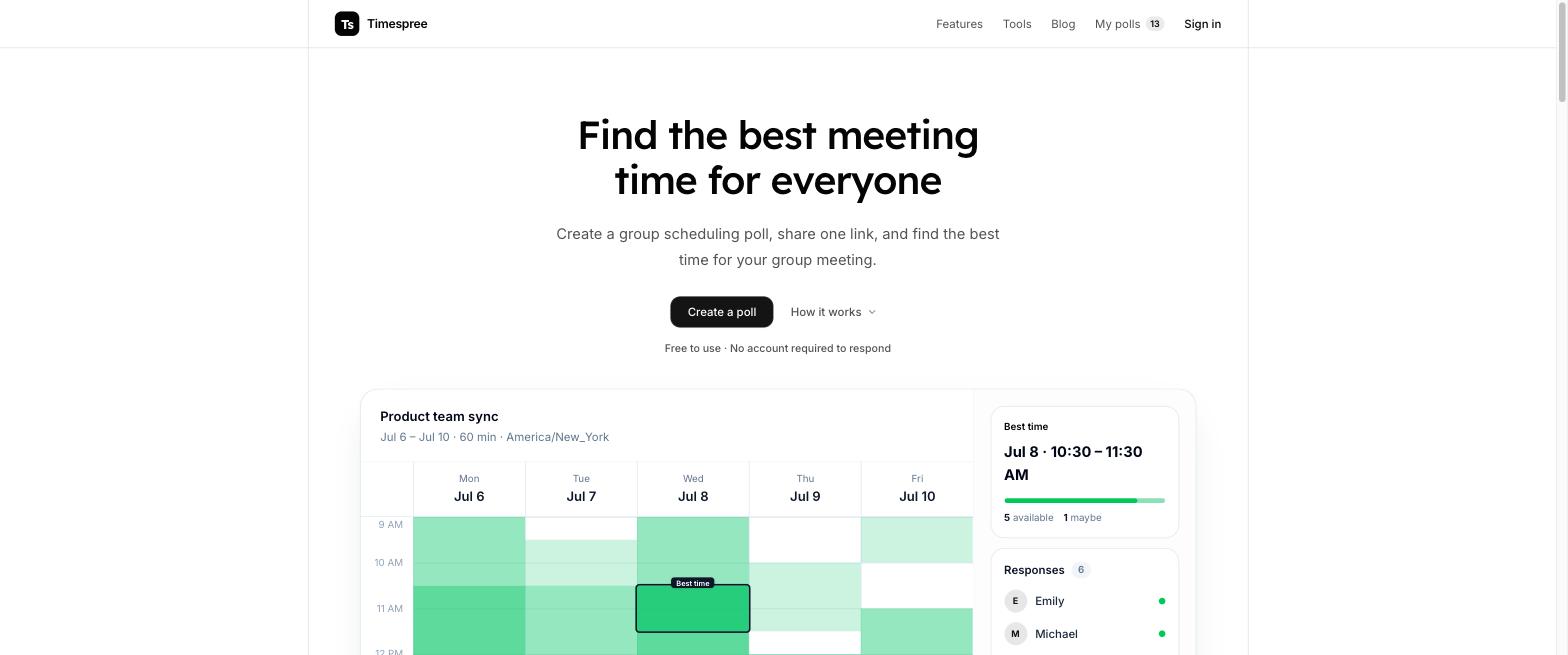
  • An availability grid, not a guessing game. Instead of proposing a few slots and hoping, everyone paints when they are actually free on a grid, and the overlap shows the best time. It captures availability Scheduling Poll and FindTime could only ask you to guess.
  • Automatic time zones and a free calendar overlay. Every participant sees the grid in their own zone automatically, and can overlay their Google, Outlook, or Apple busy times for free while responding, so external invitees are not the blank spots they are in Outlook.
  • Mobile-first. Outlook on a phone cannot even create a Scheduling Poll. Timespree's grid is built for phones on both sides.

It is free with no participant limits. The honest caveat: Timespree is a young product without Microsoft's name on it, and if your entire group already lives in one Microsoft 365 tenant, Outlook's Scheduling Poll is right there and free to you. For everyone else, this is the tool that actually works.

Scheduling Poll vs Timespree vs Doodle

Here is how the FindTime replacement compares with two free-to-start alternatives, on the axes that decide whether a poll works for a mixed group. Checked August 2026.

Outlook Scheduling PollTimespreeDoodle
Account to createMicrosoft 365 work/schoolNoneDoodle account
Works with Gmail / consumerNoYesYes
ModelPropose times, voteAvailability gridPropose times, vote
Sees external availabilityNo (org only)Free calendar overlayPaid plans
Automatic time zonesLimitedYes, per personYes
Mobile createNoYesYes
PriceIn paid M365 planFreeFree tier; Pro $11/user/mo

How to poll for a meeting time without Outlook

If Scheduling Poll is out, here is the whole flow with a free availability poll, start to finish.

  • Step 1. Create the poll. Open Timespree, name the meeting, and pick the dates you are considering. No sign-in.
  • Step 2. Share one link. Send the same URL to everyone by email, Slack, or chat, whatever address they use.
  • Step 3. Everyone marks availability. Each person opens the link, enters a name, and paints when they are free. They can overlay their own calendar to catch conflicts, and the grid is already in their time zone.
  • Step 4. Book the overlap. The darkest cells show the time the most people can make. Pick it and send a calendar invite.

That is the FindTime workflow without the Microsoft lock-in. For the fuller version, including the native Outlook and Google Forms methods, see our guide on how to make a meeting poll, and for the deeper comparison of grid tools, our group availability poll roundup.

When to just use Outlook Scheduling Poll

Scheduling Poll is genuinely the right tool in one case: your whole group is inside a single Microsoft 365 organization. There, it is free to you, it reads everyone's real calendar to suggest good times, and the winning slot turns into a proper Outlook meeting automatically. If that describes your meetings, use it, there is no reason to add another tool.

The moment a meeting includes someone outside your tenant, a client, a contractor, a partner, or anyone on Gmail, the org-only availability and the account requirement make it the wrong tool. That is the line. Inside your Microsoft org, Scheduling Poll. Across organizations or email providers, a free availability poll. If you are also weighing booking-link tools, our Calendly meeting poll guide covers where those fit.

Frequently asked questions

What happened to FindTime?

Microsoft retired the FindTime add-in on 11 December 2023 and replaced it with Outlook's built-in Scheduling Poll, a change announced in July 2022 (checked August 2026). The standalone findtime.microsoft.com site no longer resolves. Scheduling Poll does the same propose-and-vote job inside Outlook.

Is FindTime still available?

No, not as the old add-in. It was retired in December 2023 and its features now live in Outlook's Scheduling Poll. If you still see FindTime references, it is legacy branding; the poll management dashboard inside Outlook on the web is the only FindTime-named page left.

Does Outlook Scheduling Poll work with Gmail?

No. Microsoft's own documentation states Scheduling Poll is not supported for Outlook.com consumer accounts or Gmail, Yahoo, and other POP or IMAP accounts (checked August 2026). Gmail users also cannot be read for availability. A free availability poll like Timespree works with any email.

What is the best free FindTime alternative?

For scheduling across different organizations or email providers, a free availability poll like Timespree: no account for the organizer or respondents, works with any email, an availability grid instead of guessing slots, automatic time zones, and a free calendar overlay. When2meet is another free grid option.

Can I create a meeting poll without a Microsoft 365 account?

Not with Outlook Scheduling Poll, which requires a Microsoft 365 work or school mailbox to create one. But you can with a free tool like Timespree, which needs no account at all: you create the poll, share one link, and anyone responds without signing up.

Is Outlook Scheduling Poll free?

It has no separate price, but it is bundled inside paid Microsoft 365 business or enterprise plans that include Exchange Online (checked August 2026). There is no free-standing tier, and a non-Microsoft-365 user cannot create one, so it is only free if you already pay for the right M365 plan.

Keep reading

Written by

Timespree Team

The Timespree team builds a free group scheduling poll and writes hands-on guides about finding meeting times. Every tool mentioned in our comparisons is tested in a real browser before we write about it, and posts are updated when products change.

Ready to find a time that works for everyone?

Create a poll, share one link, and see everyone's availability in a single grid. Free, no sign-up needed to respond.