Doodle vs Rallly: the short answer
If you left Doodle because of the ads and the paywall, Rallly is the free alternative that fixes both. Rallly is a free, ad-free, open-source meeting poll: you propose a few times, people vote, and the best option wins, with no account needed to create or respond and the option to self-host the whole thing.
Doodle is the polished original, and for a business already paying for it, it is good software. But its free tier is thin. Checked August 2026, Doodle's free plan shows ads to both you and the people you invite, holds a single Group Poll, and reserves reminders and deadlines for Doodle Pro. Rallly's free plan has none of those ads and no per-poll cap. The "Doodle is terrible now" sentiment you see on Reddit is mostly about exactly this.
One thing neither tool changes: both are propose-and-vote. The organizer picks the candidate times before anyone shares availability. If your real problem is a messy group schedule where you do not yet know what works, a free availability grid is a better shape than either, and we cover that at the end.
What each one is
The two tools share a model but sit at opposite ends on openness and polish.
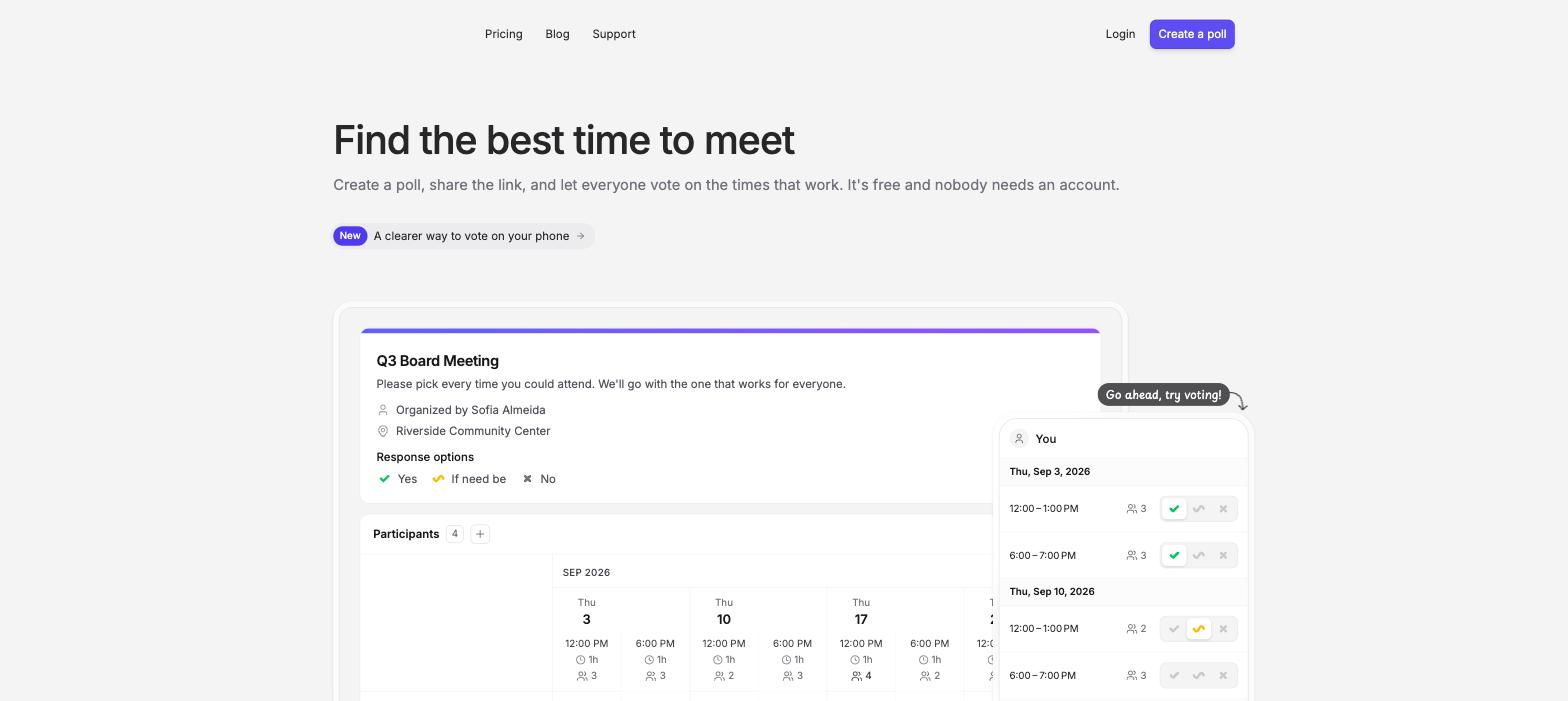
Rallly is an open-source (AGPL-3.0-licensed) scheduling poll. You list candidate dates and times, share one link, and participants vote yes, ifneedbe, or no, with no login required on either side. Because it is open source, you can use the hosted version at rallly.co or run your own instance with Docker, which is why it shows up on lists of open-source Doodle alternatives alongside Framadate, Nextcloud Polls, and Croodle. It is the most polished of that group, and our Rallly alternative guide goes deeper on it.
Doodle is the closed-source original that made the group poll mainstream. It is more polished, has a mobile app, a colored results chart, and around ten native integrations (Zoom, Google Calendar, Microsoft Teams, and others). It is built for business and priced for it. The trade-off is the free tier, which functions as a demo of Pro, covered in full in our is Doodle free breakdown.
Pricing and free plans compared
The free tiers are where these two really diverge. Prices checked August 2026 against each project's own page (Rallly, Doodle).
| Rallly | Doodle | |
|---|---|---|
| Free plan | Hobby, all core features, ad-free | One Group Poll with ads |
| Ads on free | None | Shown to hosts and invitees |
| Free-tier catch | Inactive polls auto-deleted | One Group Poll; reminders and deadlines paid |
| Paid plan | Pro, USD 56/year (keep polls, remove attribution) | Pro, about USD 15/mo (~USD 11 billed annually) |
| Open source | Yes (AGPL-3.0), self-hostable | No |
| Login to create or respond | None | Account to create; respondents vote without one |
The catch in each free plan
Both free plans have a real limitation, and knowing it up front avoids a surprise.
Rallly's catch is auto-deletion, not ads. On the free Hobby plan, a poll is deleted once it goes inactive, which Rallly defines as all of its date options being in the past and no votes, comments, or changes for over 30 days (checked August 2026). For a one-off meeting that is fine, since you have booked the time long before then. If you want a permanent record of past polls, that is what the USD 56-a-year Pro plan buys, along with removing the small Rallly attribution.
Doodle's catch is ads and the one-poll cap. The free plan shows ads, including video, to you and everyone you invite, which is the part that reads as unprofessional when you send a client a poll. It also holds a single Group Poll, so running a second Group Poll means upgrading to Pro, and reminders and deadlines are Pro-only. Doodle Pro clears all of that at about USD 15 a month, or roughly USD 11 billed annually. Our Doodle alternative guide weighs whether that is worth it.

Which should you choose?
Match the tool to what pushed you to compare them:
- You want free and ad-free, and maybe open source: Rallly. No ads, no login, and you can self-host. The only thing to know is that free polls disappear after they go inactive, which rarely matters for one-off scheduling.
- You already pay for Doodle or need its polish and integrations: Doodle. The mobile app, the colored chart, and the calendar integrations are genuinely nicer, and if a business is footing the bill, the ads and cap go away.
- You are technical and want to own your data: Rallly self-hosted, or one of the other open-source options like Nextcloud Polls.
For most people leaving Doodle over ads and cost, Rallly is the direct answer. But if the deeper problem is that a group has messy schedules and no obvious time, read on, because a poll of either kind may be the wrong tool.
The option both of them miss: an availability grid
Doodle and Rallly are both propose-and-vote, which means you, the organizer, have to guess a few good times before anyone tells you their schedule. For a messy group, that guess is where scheduling breaks. An availability grid inverts it, and it is the category neither tool competes in.
On a grid like Timespree, everyone paints all the times they are free, and the overlap shows the best slot, including times you would never have thought to propose. It is free with no ads, needs no account from anyone, keeps your poll without an inactivity timer, and adds what both poll tools lack: a mobile-first grid, automatic time-zone conversion for each person, and a free calendar overlay so people mark real availability. When2meet is the classic free grid, and Timespree is the modern one. Our When2meet vs Doodle comparison weighs the grid against the vote directly, and the group availability poll roundup covers six free grids.
So the honest map is three tools for two jobs: Rallly or Doodle when you want to vote on a few set options, and a free grid when you need to discover a time from scattered schedules.
