LettuceMeet vs When2meet: the short answer
LettuceMeet and When2meet do the same thing in the same way: both are free availability grids where you share one link, everyone paints the hours they are free, and the darkest cells show the best overlap. Neither needs an account to respond. So the choice is about feel, not model.
Use When2meet if speed matters and your group is on laptops: its whole setup lives on one page, which is why it became the campus default. Use LettuceMeet if your group is on phones and you want a cleaner interface, with the bonus of an optional Google Calendar overlay while you respond. The catch is that LettuceMeet spreads its setup across several pages, so it feels slower to start even though it looks nicer.
A design case study on UX Collective put it well: LettuceMeet is prettier, but When2meet's stripped-down, single-page flow is more efficient for the actual task. Both, though, are missing things a modern group needs, which is where a newer grid comes in.
What they share
Before the differences, it is worth being clear on how much these two have in common, because it is most of the tool.
- The same grid model. Everyone paints their free times on a shared grid, and a heatmap shows where availability overlaps. This is the When2meet model that LettuceMeet also adopted.
- Free, with no account to respond. Both are free to use, and respondents just open the link and enter a name. No signup, no app.
- No participant limits that matter. Both handle a normal group without caps getting in the way.
- No reminders. Neither tool nudges people who have not answered, so the organizer chases responses manually.
So you are not choosing between different capabilities. You are choosing between a faster, dated interface and a prettier, slower one, plus a couple of small feature differences below.
Setup and interface: efficiency vs polish
The clearest difference is how each one feels to set up and use.
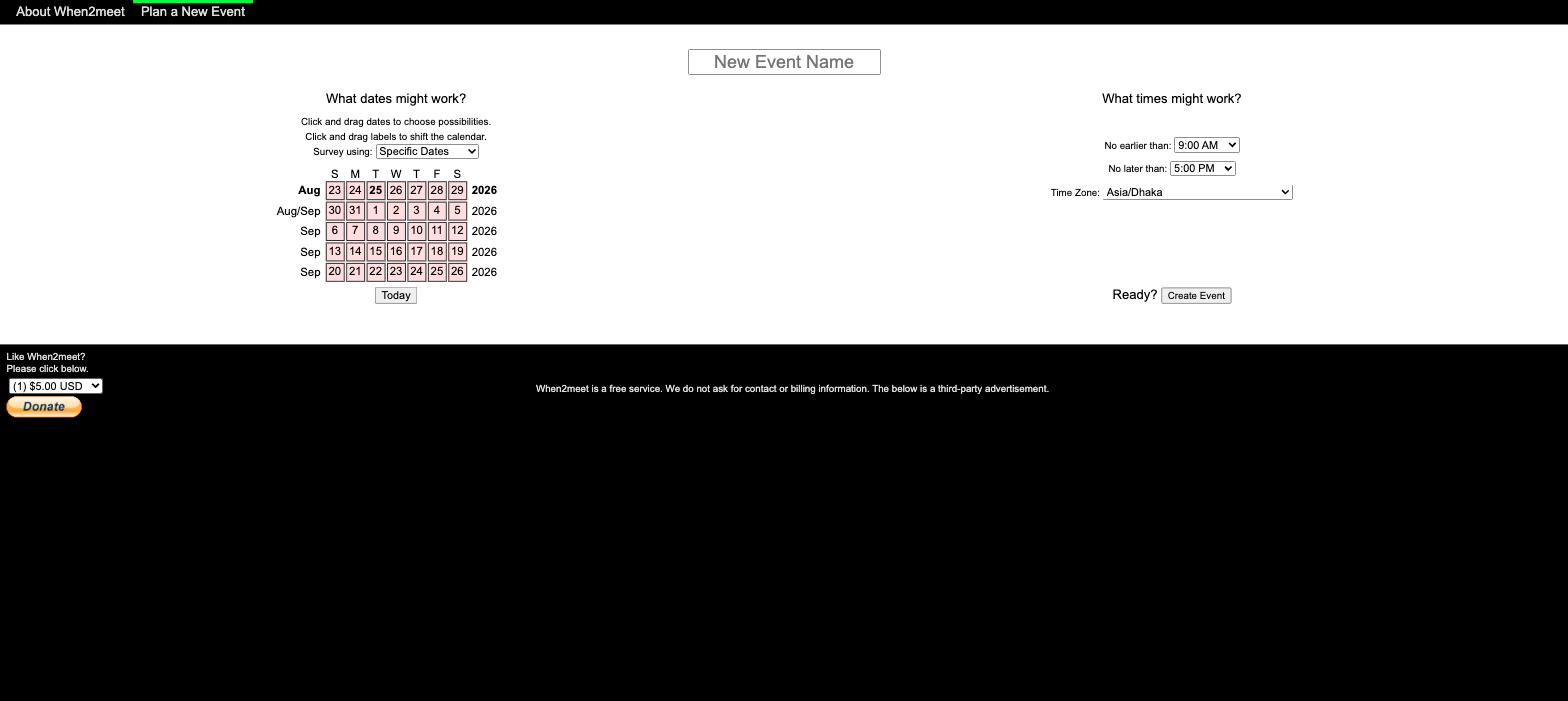
When2meet is faster but looks its age. Creating an event happens on a single page: name it, click the dates, set the time range, and share the link. That efficiency is exactly why students reach for it. The cost is aesthetics and mobile. The site has barely changed since it launched, it is typeset in plain Arial with a bright green accent, and it is not responsive, so painting availability on a phone is fiddly. Our When2meet mobile guide covers the workarounds.
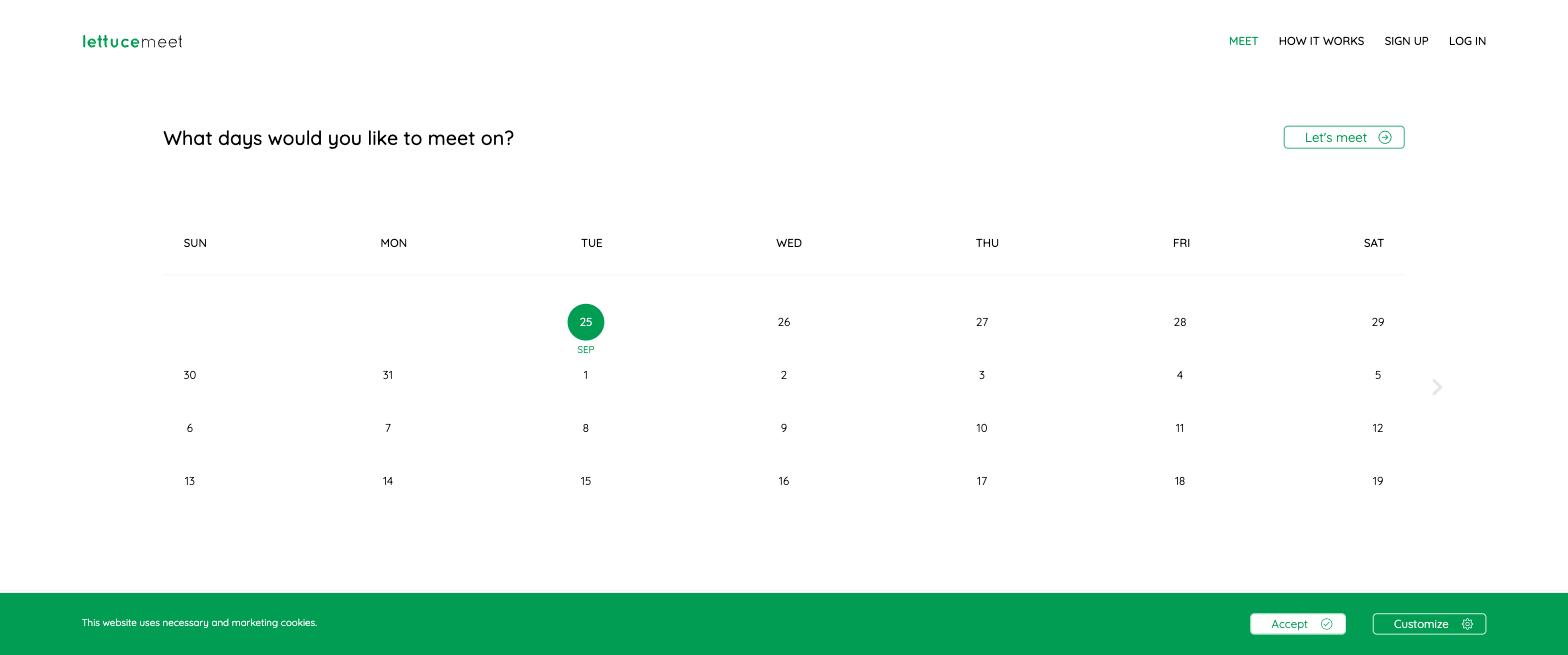
LettuceMeet looks better and works better on phones, but takes more steps. It has a clean, modern interface and a responsive layout that genuinely helps on mobile. The trade-off, per that UX case study, is a multi-page setup: choosing dates, then times, then identifying yourself happen across separate screens, which feels slower than When2meet's one-page flow. For casual student scheduling, many people find that worth it for the nicer experience.
Features and pricing compared
Side by side, with details checked August 2026 against each tool (When2meet, LettuceMeet).
| When2meet | LettuceMeet | |
|---|---|---|
| Price | Free (ads) | Free |
| Model | Availability grid | Availability grid |
| Account to respond | None (name per event) | None (optional Google sign-in) |
| Setup flow | One page (fast) | Several pages |
| Mobile experience | Not responsive, fiddly | Responsive, good on phones |
| Calendar overlay | None | Google, with sign-in |
| Reminders / notifications | None | None |
| Time zones | Detects browser zone | Handles zones |
The honest gaps in each
Both tools are good at the core job and thin everywhere else.
When2meet's gaps are age and mobile. No calendar sync, so people mark availability from memory and forget conflicts. No responsive layout, so phones struggle. No notifications, and events cannot be edited after creation. It is a finished 2012 artifact, fast and free, taken as-is. Our step-by-step When2meet guide covers its quirks.
LettuceMeet's gaps are pace and depth. Development has been slow, so the feature set has not moved much in years. There are no notifications, the Google Calendar overlay needs a sign-in, and the multi-page setup adds friction every time. It is a lovely casual tool that has not grown into anything more. Our LettuceMeet alternative guide goes deeper.
The shared blind spot is notifications and organizer tooling: with either one, you are the reminder system.
The grid that fixes both: Timespree
If you want When2meet's one-link speed and LettuceMeet's mobile polish without choosing between them, that combination is what Timespree is built to be. It keeps the exact free grid model, create an event, share one link, everyone paints their availability, no account to respond, and closes the gaps both leave open.
- Mobile-first, and fast to set up. The grid is built for phones, without LettuceMeet's multi-page detour.
- A free calendar overlay for everyone. Overlay Google, Outlook, or Apple busy times while responding, no paid tier and no single-provider limit like LettuceMeet's Google-only sign-in.
- Automatic time zones converted per person, and organizer email notifications as responses arrive, the reminder system neither of the classics has.
It is free with no participant limits. When2meet is still the fastest if your group is on laptops and already knows it, and LettuceMeet is a fine casual pick, but if the group is on phones or spread across zones, a modern grid saves the responses the older two quietly lose. Our best When2meet alternatives roundup compares seven grids, and the group availability poll guide covers the wider field.
Which should you choose?
Match the tool to your group:
- Laptop group that already knows When2meet: When2meet. The one-page setup is the fastest path, and familiarity counts.
- Phone-heavy or casual group that wants a cleaner tool: LettuceMeet. The responsive design and optional calendar overlay make it the nicer of the two classics on mobile.
- A group that is mixed, remote, or across time zones: a modern grid like Timespree, for the mobile-first design, automatic time zones, calendar overlay, and notifications the older two lack.
Whichever you pick, the workflow is identical: share one link, everyone paints the grid, and the darkest cells tell you when to meet.
